
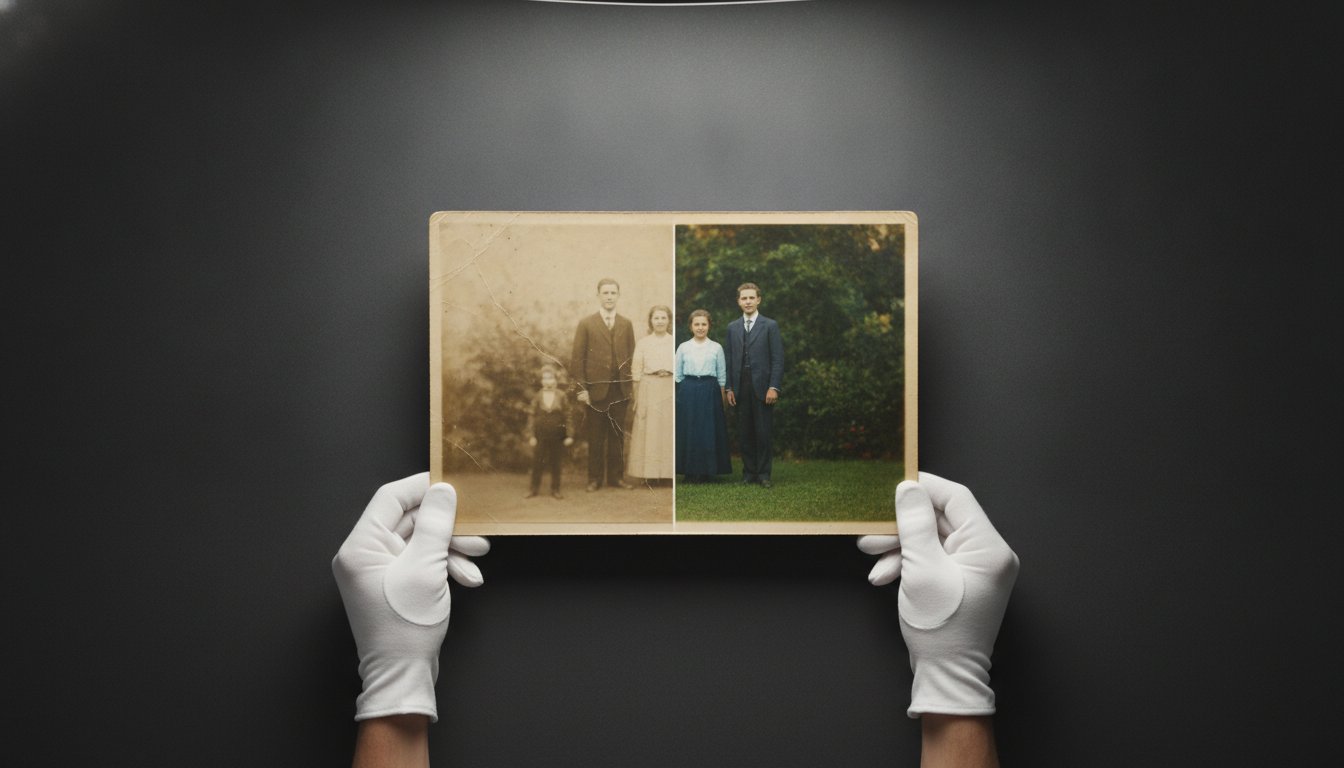
You pull a heavy, dust-covered album from the attic and find a portrait of your ancestors, but the silver has mirrored and the once-vibrant details have vanished into a pale, yellowed mist. It’s a common discovery that brings an immediate sense of urgency. You know that if you don’t act soon, this link to your history might be lost forever. However, the prospect of trying to restore faded family photographs often feels daunting. You might worry that a consumer scanner will scratch the delicate emulsion or that a quick AI filter will turn a cherished relative into a plastic-looking stranger.
We understand that these aren’t just images. They’re irreplaceable artifacts that require a steady, expert hand. You’ll learn the essential steps to safely preserve, digitize, and professionally restore your most precious family heirlooms through a process that respects the physical object. This guide outlines how to stabilize your prints and secure high-fidelity digital copies. We will also examine the technical differences between basic software filters and true archival restoration to ensure your family’s story remains authentic for the next century.
Key Takeaways
- Protect fragile vintage emulsions by establishing a debris-free workspace and adhering to strict handling protocols that prevent skin oils from causing further decay.
- Learn how to utilize professional BetterLight scanning to restore faded family photographs with a level of digital precision and resolution that consumer-grade hardware cannot match.
- Identify the technical limitations of automated AI tools and why a manual, artistic approach is necessary to avoid the “fake” look of modern filters.
- Ensure the longevity of your heirlooms by selecting archival Giclée printing methods on specialized fine art paper or canvas for maximum color depth and durability.
Why Family Photos Fade: Understanding the Science of Decay
Photographs aren’t static images; they’re complex layers of chemistry and paper. UV light is the most persistent threat to these artifacts. For silver halide prints, which include most vintage black and white photography, light causes silver particles to clump or oxidize. In color prints, organic dyes break down at different rates. This often leads to the familiar magenta or yellow color shifts that define aging snapshots. This chemical instability is why many people eventually need to restore faded family photographs before the visual data disappears completely.
Environmental factors often accelerate this decline. Acid migration occurs when photographs are stored in “magnetic” albums or acidic cardboard boxes. The chemicals in these adhesives and papers leach into the photo’s backing and emulsion, which results in brittle edges and deep staining. You may also notice “silvering” or mirroring, a metallic sheen that appears in the darkest areas of a print. This occurs when silver ions migrate to the surface and oxidize. Understanding the Conservation and restoration of photographs is vital because it highlights that physical chemical restoration is often too risky for one of a kind heirlooms.
Digital restoration has become the professional standard because it’s non-destructive. By capturing a high-resolution digital file, we can perform complex repairs without ever touching the original emulsion. This ensures the physical artifact remains as a historical record while the digital version is brought back to its original clarity. It’s a safer, more reliable way to bridge the gap between the past and the future.
Common Types of Photograph Damage
Damage typically falls into three categories. First is fading and color shifting, where chemical bonds fail and leave the image looking washed out. Second is physical trauma, including cracks, tears, and emulsion loss from improper handling or poor storage. Finally, biological damage such as foxing, which are the rusty brown spots caused by fungal growth, and insect residue can physically consume the paper fibers. Each type of damage requires a specific technical approach during the digital reconstruction phase.
Why DIY Chemical “Fixes” Often Fail
Many well-meaning owners try to “clean” old photos with household liquids or commercial solvents. This is almost always a mistake. Vintage emulsions are often water-soluble or extremely brittle. Adding moisture can cause the image to slide right off the paper or trigger a new wave of mold growth. Professional studios always start by creating a high-fidelity digital copy before any assessment begins. Once the digital safety net exists, the focus shifts to stabilizing the original in a temperature-controlled, acid-free environment to stop active decay in its tracks.
Step 1: Safe Handling and Preparation of Faded Originals
Before you can restore faded family photographs, you must ensure the physical original survives the assessment phase. The first step involves creating a controlled environment. Clear a large, flat table in a room with stable humidity. Avoid areas near food, drinks, or open windows where dust and debris can settle on the emulsion. It’s helpful to place a clean sheet of white archival paper on your work surface to provide a neutral, safe background for inspection.
Professional archivists follow a strict “No-Touch” rule. Human skin naturally produces oils and salts that can etch into vintage photographic surfaces, leaving permanent fingerprints that are nearly impossible to remove. Always document the current state of the photo before you move it. A quick reference shot with a modern camera can help you track any changes or accidental damage that might occur during the preparation process. Citing the Library of Congress guidelines for proper storage and handling ensures you follow museum-grade standards throughout this delicate stage.
Essential Tools for Handling Heirloom Photos
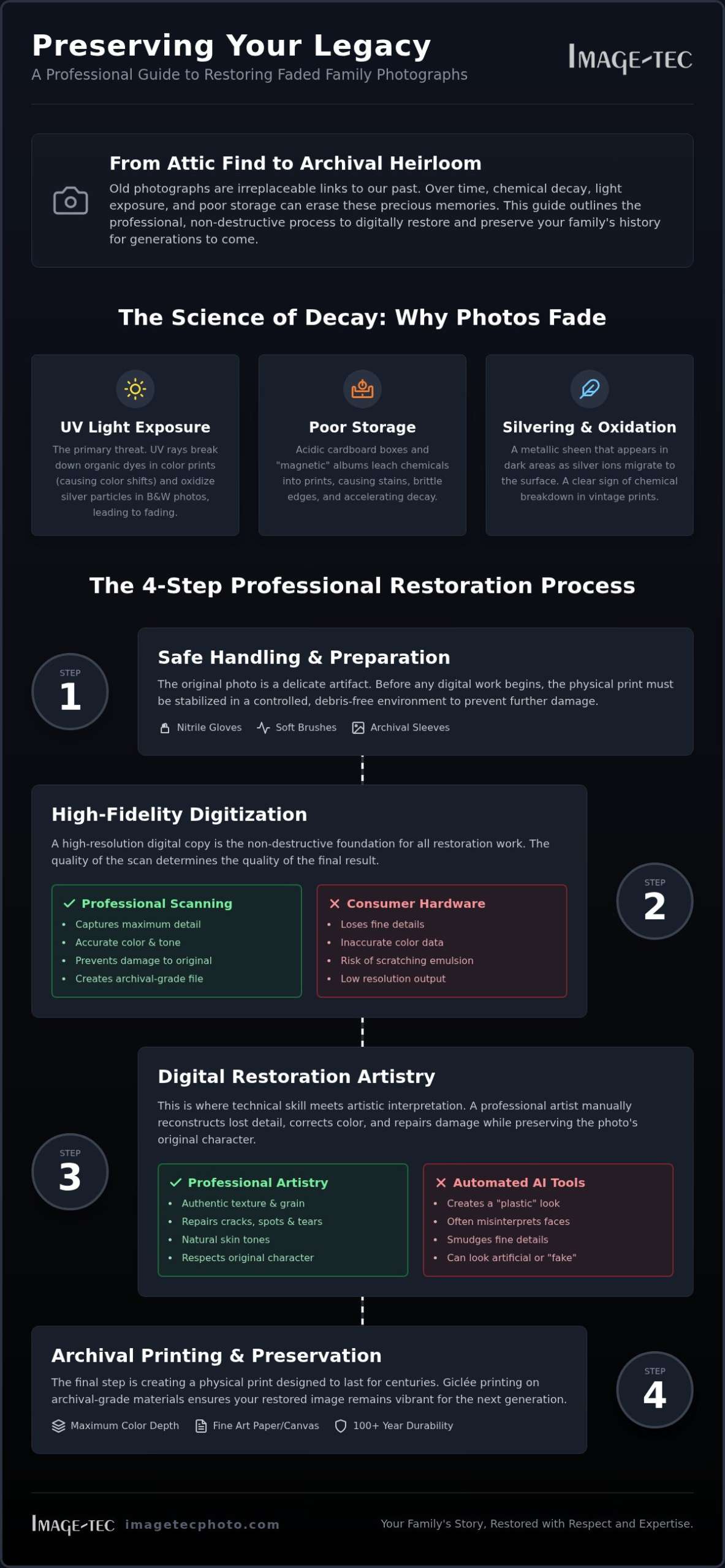
You don’t need a laboratory, but a few specific tools will prevent accidental degradation. Standard equipment should include:
- Lint-free cotton or nitrile gloves: These provide a necessary barrier between your skin and the print.
- Archival-safe polyester sleeves (Mylar): These protect the photo from environmental pollutants while allowing you to view both sides.
- Soft-bristle brushes: Use these to whisk away loose dust without scratching the brittle surface of an old print.
Preparing for the Digitization Process
Preparing a photo for scanning often requires addressing physical issues like curling. Flattening curled photos requires patience. Don’t force them flat, as the emulsion may snap like glass. Instead, use a weighted archival blotter in a controlled environment to slowly relax the paper fibers. 1970s “magnetic” albums are particularly notorious for their “sticky” pages. To remove these safely, you might use a thin micro-spatula or even unscented dental floss to gently separate the adhesive from the backing. If a photo is stuck to glass, it should never be forced off. This specific type of damage requires professional intervention to prevent total emulsion loss.
For those in the Boston or New England area, transporting these fragile items requires care. Place them flat between acid-free boards and avoid rolling them into tubes. If you feel unsure about handling a particularly brittle piece, seeking historical image restoration services can prevent a catastrophic loss of your family’s visual history.
Step 2: Digitizing Your Memories for Maximum Detail
Once you have safely prepared your originals, the next critical phase is high-fidelity digital capture. Many people attempt to use a smartphone camera to save time, but this method is insufficient for professional results. Phone lenses introduce barrel distortion, and uneven room lighting creates glares that obscure fine details. To truly restore faded family photographs, you need a digital file that contains the maximum amount of information possible. Consumer-grade flatbed scanners also fall short because they often lack the dynamic range needed to pull hidden data out of deeply faded or overexposed areas.
High-bit depth scanning is the standard for archival work. While a standard scan might capture 8 bits per channel, professional equipment utilizes 16-bit or 48-bit color depth. This allows the restoration artist to see into the shadows and highlights of a faded print, recovering tonal transitions that seem invisible to the naked eye. This level of precision is why professional art reproduction printing services are essential for color accuracy. They treat each photograph as a unique piece of fine art rather than a simple document to be copied.
The BetterLight Scanning Advantage
Large-format digital scanning using BetterLight technology provides a significant advantage over traditional methods. Unlike a standard scanner that uses a fixed array of sensors, a tri-linear scanning back moves across the image plane to capture pure red, green, and blue data for every single pixel. This eliminates the need for interpolation, which is the “guessing” of color data that often happens in consumer devices. This process captures the physical texture and depth of the original paper, which is vital if you intend to produce large-scale Giclée prints. It also eliminates the hot spots and reflections that often ruin DIY attempts at digitizing glossy or silvered photographs.
Choosing the Right File Formats
The format you choose for your digital archive determines its future utility. You should always insist on a TIFF (Tagged Image File Format) for your master copy. Unlike a JPEG, which uses “lossy” compression that discards data every time you save the file, a TIFF is lossless. This preserves every bit of detail captured during the scan. When considering resolution, don’t rely on standard office settings. A small 2×3 inch vintage print requires a high DPI (Dots Per Inch) of at least 600 to 1200 to allow for enlargement without pixelation. Organizing these files with clear metadata ensures that your digital archive remains a functional resource for future generations.
Step 3: Restoring Lost Details—AI Tools vs. Professional Artistry
The rise of generative technology has fundamentally changed the effort to restore faded family photographs. Modern AI tools work by identifying patterns and “filling in” missing data based on billions of other images. While this provides a fast result, it often lacks the soul of the original. AI tends to over-smooth skin textures and sharpen edges indiscriminately. This frequently leads to the “Uncanny Valley” effect, where a relative’s face looks familiar but fundamentally wrong. The software might hallucinate a different eye shape or a generic smile that doesn’t match the person’s true character.
Historical accuracy requires a level of discernment that algorithms currently lack. A professional restorer understands the context of the era, from the specific weave of a wool suit to the architectural details of a background. We prioritize the preservation of the image’s authentic character over a sterile, “perfect” look. This human-led approach ensures that the repair work remains invisible and that the final result feels like a window into the past rather than a modern recreation. Learning more about the specialized skills required to restore faded photographs as a professional craft can help you better evaluate the expertise of any studio you consider.
When to Use Automated AI Tools
Automated tools serve a specific, limited purpose. If you need a quick version of a photo for social media sharing, a basic mobile app filter might suffice. However, these tools carry significant risks for archival projects. AI often fails to distinguish between a physical scratch on the paper and a fine detail in the subject’s clothing. It may accidentally erase a piece of jewelry or a subtle background element that holds sentimental value. Most importantly, AI cannot accurately replace large missing sections of a photo; it simply guesses what might have been there, which often results in a blurred or distorted mess.
The Professional Historical Restoration Process
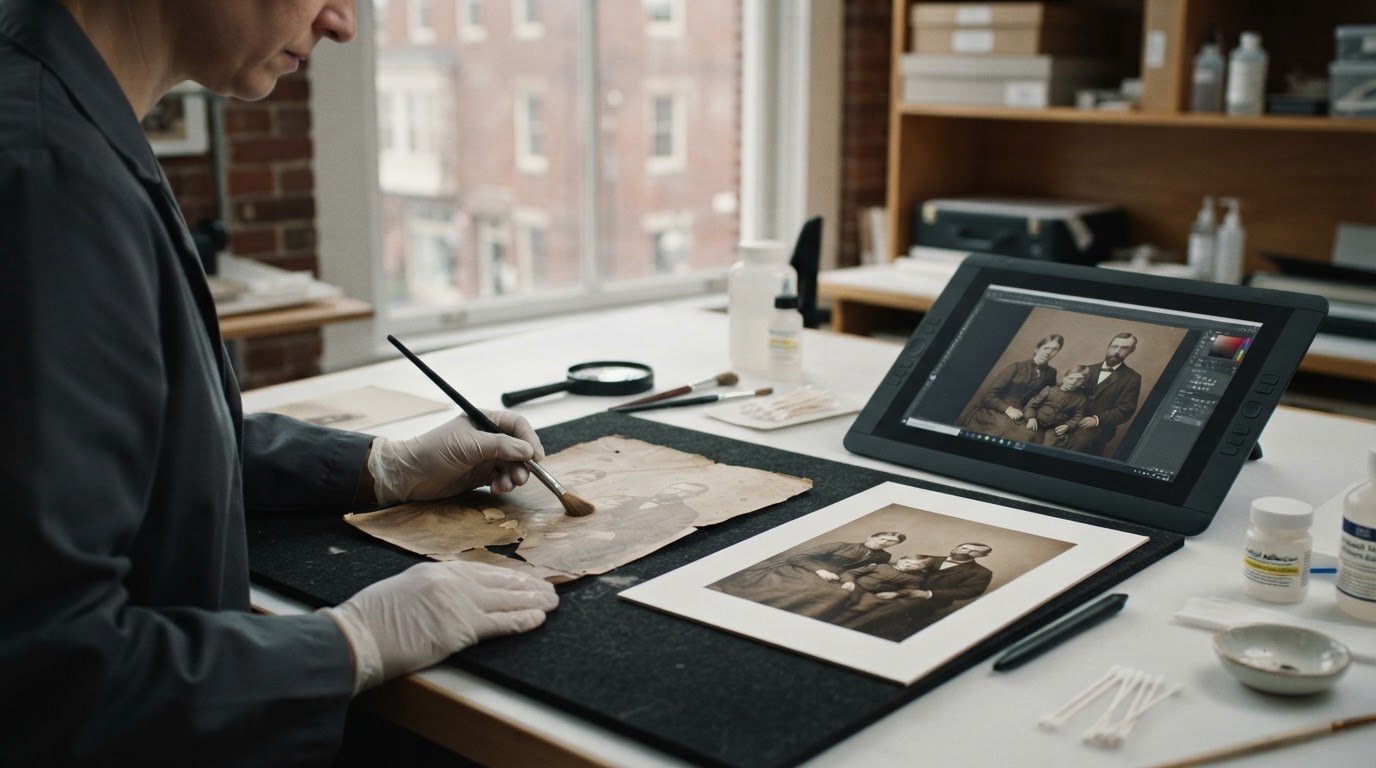
Professional restoration is a methodical, manual process. Every crack, tear, and dust spot is addressed individually using advanced digital cloning and healing techniques. This ensures a seamless finish that doesn’t compromise the surrounding original data. We also correct color shifts by analyzing the specific historical photographic chemistry used at the time the print was made. Whether it’s a 19th-century tintype or a 1970s Kodachrome slide, the restoration must respect the original medium’s tonal range. Using a historical image restoration service provides a level of forensic detail AI lacks, as it combines technical software mastery with a deep understanding of art history. To ensure your family heirlooms receive this level of care, you should consult with a specialist before starting your project.
Final Steps: Printing and Preserving Your Restored Legacy
The restoration process isn’t truly complete until the digital file is translated back into a physical artifact. While the digital copy provides a permanent safety net, a tangible print allows your family to engage with its history in a meaningful way. Once you have managed to restore faded family photographs, you must ensure the new physical version is built to last. This involves moving beyond standard consumer printing and adopting museum-grade archival standards for every reproduction.
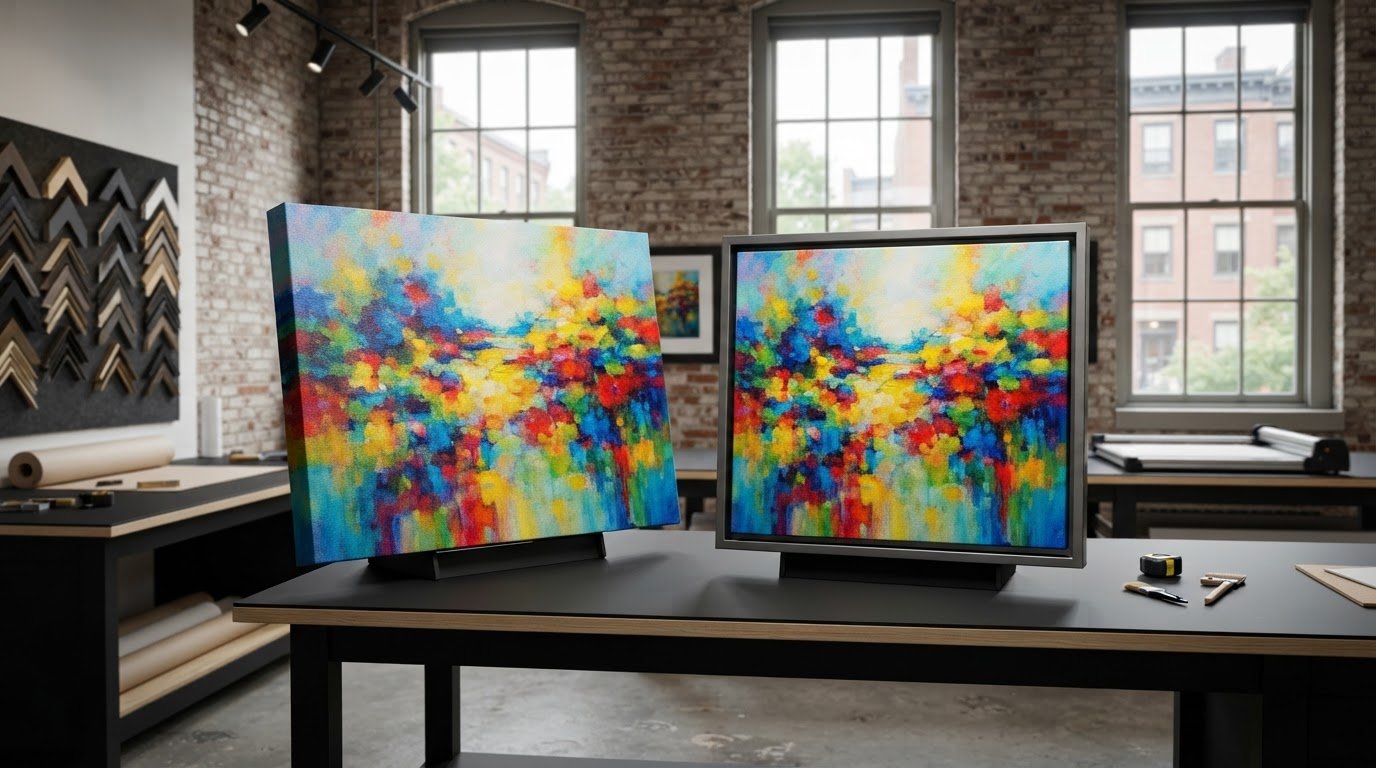
Choosing the right substrate is a critical decision that affects both the aesthetic and the longevity of the piece. Matte papers offer a sophisticated, non-reflective finish that excels at hiding surface imperfections or graininess from the original print. Luster papers provide a subtle sheen that increases perceived contrast and color saturation, which is often ideal for mid-century color snapshots. For those seeking a more dramatic presentation, fine art canvas allows for large-scale reproductions that can be displayed as focal points in a home gallery without the need for glass.
Giclée Printing: The Archival Standard
Giclée printing is the professional benchmark for art reproduction. Unlike standard home inkjet printers that utilize dye-based inks, the Giclée process uses pigment-based inks. These pigments are much more stable and resistant to fading caused by light and environmental pollutants. When combined with acid-free papers, these prints are rated to last for 100 years or more without significant color shifting. Our studio provides high-resolution output up to 60 inches wide. This capability allows even small vintage snapshots to be transformed into stunning, wall-sized family heirlooms that maintain every detail of the professional restoration.
Archival Storage for the Original and the New
Preservation requires a two-pronged approach that protects both the new print and the fragile original. Dark storage remains the best friend of any photograph. Even with modern UV-protective glass in a custom frame, prolonged exposure to direct sunlight will eventually cause damage. You should store your originals in acid-free and lignin-free boxes. Lignin is a natural substance in wood pulp that causes paper to yellow and become brittle; using lignin-free materials prevents this chemical decay from occurring. Custom framing with archival-grade matting further stabilizes the print by keeping it from touching the glass directly. Ready to bring your history back to life? Contact our Methuen studio for a professional assessment.
Preserving Your Family’s Visual Legacy for Future Generations
Securing your family’s history requires a deliberate balance of technical precision and artistic discernment. By prioritizing safe handling protocols and choosing high-fidelity digital capture over automated filters, you ensure that the true essence of your ancestors remains intact. We’ve discussed why professional BetterLight scanning is vital to recover deep tonal information and why archival Giclée printing is the standard for reproductions meant to last another century. When you decide to restore faded family photographs, you’re securing a vital bridge between your past and the future.
Since 1994, our studio has served New England families by protecting their most fragile heirlooms with museum-grade care. We combine decades of craftsmanship with specialized equipment to produce stunning prints up to 60 inches wide. Your history is unique and deserves more than a generic digital fix. Take the first step toward a permanent solution today. Get a Professional Restoration Quote for Your Family Heirlooms. We look forward to helping you bring your cherished memories back to life.
Frequently Asked Questions
Can a completely white, faded photo be restored?
Restoration depends on whether any latent image information remains in the emulsion. While a print may appear completely white to the naked eye, high-bit depth scanning can often detect minute tonal variations that are still present. Using BetterLight technology, we can often recover hidden details to restore faded family photographs that seem beyond repair. However, if the silver or dyes have completely oxidized, the image can’t be recovered without speculative recreation.
Is it better to restore photos digitally or chemically?
Digital restoration is the preferred professional standard because it’s entirely non-destructive. Chemical restoration involves applying liquids or treatments to the original artifact, which carries a high risk of permanent emulsion loss or paper degradation. By creating a high-resolution digital copy first, we can perform complex repairs without ever touching the physical original. This ensures the historical artifact remains preserved in its current state while a new, restored version is created.
How much does professional photo restoration cost in Massachusetts?
Costs for professional services in the Boston and Methuen area vary based on the extent of the damage. Light restoration for minor scratches or slight fading is generally more affordable than reconstructive work for torn or mold-damaged prints. Because every project is unique, we recommend a professional assessment to determine the labor required. We provide custom quotes based on the specific needs of your family heirlooms rather than using generic flat-rate pricing.
Will scanning my old photo damage it further?
Professional scanning doesn’t damage the original when performed with the right equipment. Unlike consumer flatbed scanners that use high-heat lamps and moving parts, our BetterLight scanning system captures images without physical contact or excessive heat. This is the safest way to digitize fragile items. You shouldn’t use auto-feed scanners or high-heat consumer devices, as these can cause the brittle emulsion to crack or peel away from the paper backing.
What is the best way to store old family photos at home?
The ideal storage environment is a cool, dry, and dark location within your living space. You should avoid attics or basements, as extreme temperature fluctuations and high humidity accelerate chemical decay. Use acid-free and lignin-free boxes or Mylar sleeves to prevent acid migration. Keeping your collection in a dark storage environment protects the prints from UV light, which is the primary cause of fading for both silver halide and color dye prints.
Can you restore a photo that is stuck to glass?
Yes, we can restore photos stuck to glass by scanning directly through the glass surface. You shouldn’t attempt to peel the photo off, as this will likely tear the emulsion and cause permanent damage. Our high-resolution scanning process captures the image through the glass while minimizing reflections and glares. Once we have the digital file, we can manually remove any visible artifacts or distortions to restore faded family photographs effectively.
How long does the professional restoration process take?
The timeline for restoration varies depending on the specific complexity of the damage. Simple color correction and minor scratch removal are completed faster than extensive reconstruction of missing facial features or background elements. Our Methuen studio prioritizes quality and precision over speed to ensure every detail is historically accurate. We recommend contacting us for a specific estimate based on our current studio production schedule and the unique requirements of your project.
What resolution should I use if I scan my photos at home?
If you’re scanning at home, you should use a resolution of at least 600 DPI for standard prints and up to 1200 DPI for smaller vintage snapshots. This high resolution allows for future enlargement without significant pixelation. Always save your files in a lossless TIFF format rather than a compressed JPEG. While home equipment is useful for cataloging, it often lacks the dynamic range provided by professional BetterLight scanning used for archival art reproduction.







Leave A Comment
You must be logged in to post a comment.