

A higher resolution number doesn’t automatically mean a better scan. In a BetterLight scanning vs. flatbed scanner comparison, a flatbed can be convenient and produce very good copies of older prints, while professional capture may better suit originals that need careful detail and color reproduction. The right choice depends on the original and how you plan to use the file.
It’s reasonable to be cautious about camera-based digitizing: alignment, lighting, and focus all affect the result, and small errors can soften detail. A well-controlled professional workflow matters as much as the equipment.
This comparison explains how the methods differ for old prints and film, what resolution and file size can tell you, and how dust, Newton rings, or flare may affect a scan. It also covers convenience and trade-offs, helping you see when a flatbed is sufficient and when BetterLight scanning suits a reproduction project.
Key Takeaways
- Match the capture method to the original and intended print size; a higher resolution figure alone doesn’t determine image quality.
- For film, assess effective detail and the file size needed for your intended use, not just the scanner’s stated resolution.
- Dust, Newton rings and flare can affect film scans, so the capture setup and handling matter alongside the equipment.
- Choose a flatbed for straightforward print digitizing when convenience is the priority; consider professional BetterLight scanning when careful reproduction is needed.
Digitizing old photographic prints
For an old print, a good flatbed can deliver very good image quality. Older photographic prints often contain limited detail, so a flatbed scan may capture enough for sharing, archiving, or modest reprints. Digital camera capture can offer greater sharpness and color fidelity, but careful alignment, focus, and lighting are essential.
BetterLight scanning uses a digital scanning back to capture an original line by line. The original stays in position as the scanning sensor records its image, making this method suitable for detailed reproduction work.
There’s no single maximum size or universal original format for every BetterLight system or flatbed scanner. Supported formats and capture dimensions depend on the system, its configuration, and the original’s size. A flatbed is also limited by its scanning bed.
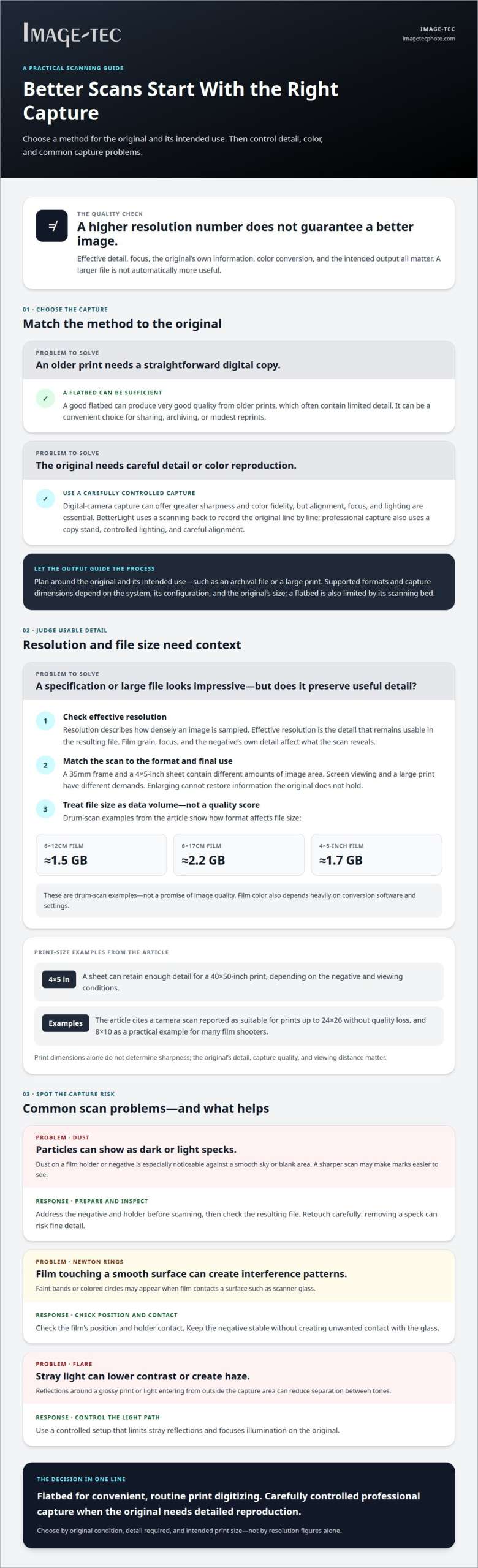
Print size depends on the negative’s detail, capture quality, and intended viewing distance. A 35mm or larger negative can produce a print suited to its available detail, but enlarging cannot restore information the original lacks. For example, a digital-camera scan has been reported as suitable for prints up to 24×26 without quality loss, while 8×10 is a practical example for many film shooters.
Large-format results can show why capture method matters. A 4×5-inch sheet can retain enough detail for a 40×50-inch print, though the visible result depends on the negative and viewing conditions. The print dimensions alone don’t determine sharpness.
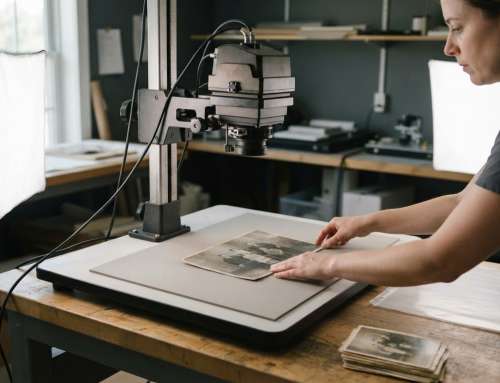
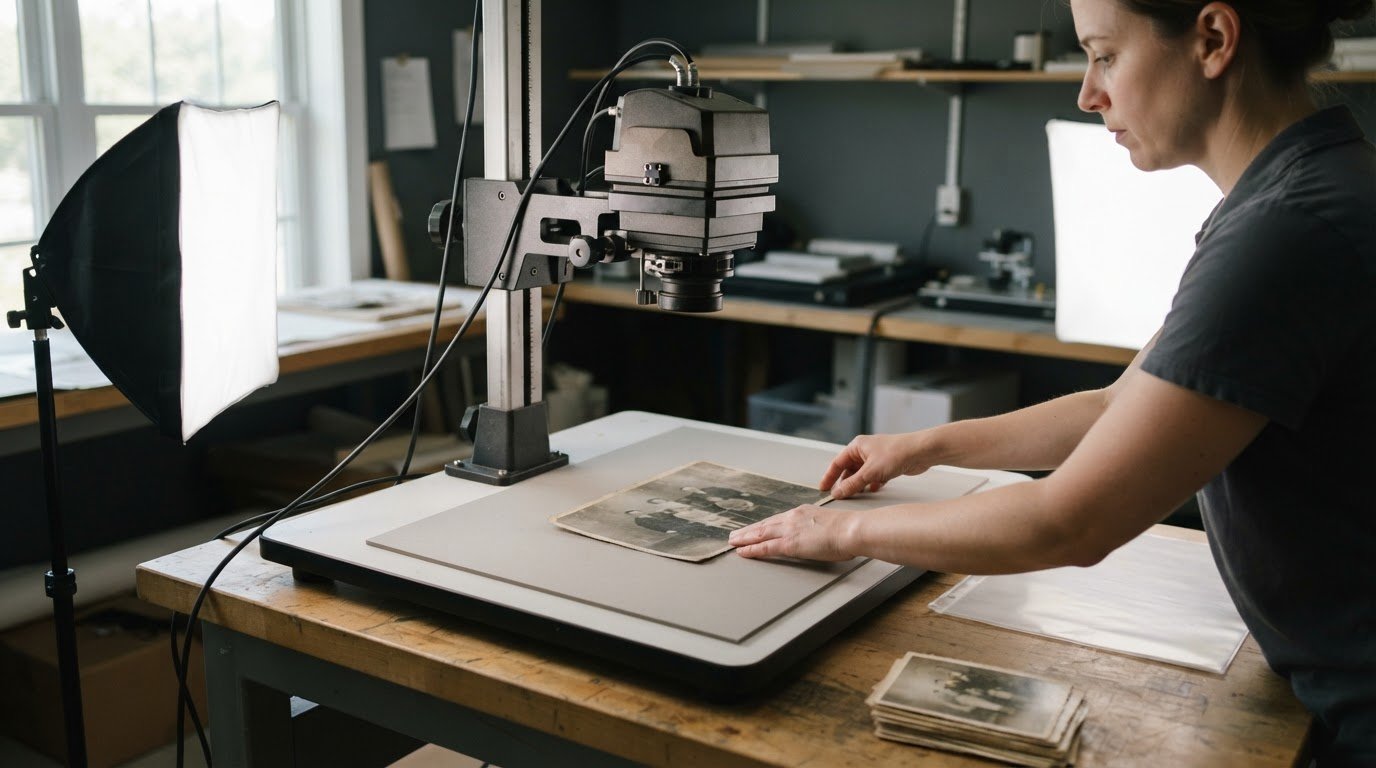
Professional BetterLight scanning uses a scanning back, copy stand, controlled lighting, and careful alignment. The capture is planned around the original and its intended use, such as an archival file or a large print, so the final format guides the process.
| Option | Detail and color | Best suited to |
|---|---|---|
| Flatbed scanner | Very good quality; convenient for prints | Older prints and routine digitizing |
| Digital camera capture | Generally better sharpness and color fidelity | Prints or negatives needing detailed reproduction |
| BetterLight scanning | Line-by-line capture for professional reproduction | Originals requiring a carefully controlled workflow |
Choose based on the original’s condition, the detail needed, and the intended print size.
Film scanning resolution and file sizes
A BetterLight scanning vs. flatbed scanner comparison for film should consider more than advertised dpi. Film format, usable detail, color conversion, and intended output all affect the delivered file.
Resolution and Effective Resolution
Resolution describes how densely a scanner samples an image. Effective resolution is the detail that remains usable in the resulting file. A flatbed can offer higher effective resolution than many digital cameras, but that figure alone doesn’t establish better image quality. Film grain, focus, and the negative’s own detail also shape what the scan reveals.
File size is another practical consideration, not a quality score. Drum-scan examples include about 1.5 gigs for 6×12cm film, 2.2 gigs for 6×17cm, and 1.7 gig for 4×5-inch film. These examples show how original format affects the amount of image data.
Scanner Resolution Sweet Spots
A scanner’s useful resolution depends on the film size and intended enlargement. A 35mm frame and a 4×5-inch sheet hold different amounts of image area, so the same sampling setting won’t produce equivalent files or print potential. The best setting captures detail the original holds without treating a larger file as an automatic improvement.
Match the scan to its intended output. A file for screen viewing has different demands from one prepared for a large print. The BetterLight scanning vs. flatbed scanner decision should account for the original format and the image detail needed for its final use.
Image Quality and Detail
Neither a BetterLight system nor a flatbed can be judged by resolution figures alone. Flatbeds can record high effective resolution, while image quality also depends on focus, capture, and processing. Film color output depends heavily on conversion software and settings, so scanner specifications alone don’t determine color accuracy.
Dynamic range depends on how tones in the negative are captured and converted. A larger file doesn’t automatically contain more useful detail. For film requiring a considered capture workflow, professional BetterLight scanning is an option.
Dust, Newton rings, and flare
The main risks differ by capture method: flatbed film holders can collect dust, while both workflows require control of stray light and film positioning. Dust appears as dark or light specks, especially across a smooth sky or blank area. A sharper scan may make these marks more visible, not remove them.
Flatbed film holders can attract dust, so particles on the holder or negative may appear in the captured image. A professional workflow addresses the negative and holder before scanning, then checks the resulting file for visible spots. A speck against a pale background, for example, is easier to notice than one within a textured subject. Removing dust after capture can also require careful retouching to protect fine detail.
Newton rings are circular interference patterns that can appear when film contacts a smooth surface, such as scanner glass. They may show as faint bands or colored circles across a scanned negative. A professional checks the film’s position and holder contact, since the relationship between film and glass affects whether the pattern appears. The goal is to keep the negative stable without creating unwanted contact artifacts.
Flare occurs when stray light reaches the capture system, lowering contrast or producing haze. Reflections around a glossy print or light entering from outside the intended capture area can reduce separation between tones. A controlled setup limits stray reflections and focuses illumination on the original. Both BetterLight and flatbed scanning require attention to the original’s surface and surrounding light.
These artifacts have different causes, so one correction does not address them all. Dust calls for clean handling and file inspection; Newton rings call for attention to film-to-glass contact; flare calls for control of reflections and stray illumination. During a professional scan, the operator considers the original’s format and surface, positions it carefully, and reviews the capture for visible defects before delivery. That process helps preserve detail without treating every artifact as a software problem.
Scanner convenience
A flatbed is generally easier to use than photographing a print, but ease of setup isn’t the same as total time. Scanning a print takes somewhat longer than capturing a digital photo. With BetterLight scanning, elapsed time depends on the original, the detail required, and the capture and file-preparation workflow.
For a single print, a flatbed offers a straightforward sequence: position the original, scan it, then review the file. A camera-based copy-stand setup requires more preparation because the original, lighting, and camera alignment must be arranged. Good lighting and careful positioning can take enough setup time to offset the scanner’s initial convenience.
Project size changes the comparison. One family print may need only a capture and basic file review, while a group of mixed-size originals requires repeated handling and consistent framing. Film also needs careful positioning in its holder. Each additional original or adjustment adds work, even when the capture equipment is ready.
- Flatbed: A practical choice for a small set of prints when simple handling matters.
- Copy stand: Requires lighting and alignment, which can add setup before capture.
- Professional workflow: Includes positioning, capture, file review, and preparation for the intended use.
There’s no single elapsed time that applies to every BetterLight scan and flatbed scan. The original’s size and condition, the detail required, the number of files, and any needed adjustments all affect the schedule. A damaged print, for example, may need more careful handling and image work than a clean, flat original. Compare the full workflow, not just the moment when the scanner captures the image.
If you need a carefully managed capture workflow for film or prints, discuss a BetterLight scanning project.
Image-Tec: BetterLight Scanning
Image-Tec provides BetterLight Scanning for photographs and artwork that need professional digital capture. It’s a natural option when a print or artwork requires careful attention to detail, color, and its intended final use. The choice between a flatbed and BetterLight capture depends on the original and the results you need.
For projects that move from digitizing to display, Image-Tec also offers Giclée printing, canvas prints up to 60 inches wide, and custom framing. This can help connect a carefully captured image with a finished print suited to its presentation.
When discussing the project, share the original’s format and how you plan to use the resulting file or print. That context helps shape the appropriate capture and reproduction approach. Contact Image-Tec to discuss BetterLight Scanning for your photographs or artwork.
Plan the capture around the final image
The BetterLight scanning vs. flatbed scanner comparison is most useful when it starts with the image’s purpose. A file intended for close inspection has different demands from one used for a small display print. Decide how the digitized original will be viewed, reproduced, or preserved, then weigh the capture method against that goal.
Before the work begins, gather the film or print and describe the intended result. Note whether the original is a negative, transparency, or reflective print, and identify any surface damage or fading that may affect handling. Clear project details help shape a workflow around the original rather than treating every image the same way.
For artwork or photographs destined for display, capture is only one part of the result. Image-Tec also offers Giclée printing, canvas prints up to 60 inches wide, and custom framing, alongside commercial photography. These options can support projects that extend from digital reproduction to finished presentation.
Choose the approach that serves the image and its next use. Contact Image-Tec about your scanning project to discuss the right starting point for your photographs or prints.
Frequently Asked Questions
What problems can arise when a professional uses a DSLR to digitize an original?
A DSLR capture can introduce uneven sharpness, perspective distortion, or color shifts if the camera, original, and illumination aren’t coordinated. Glossy artwork can reflect light into the lens, creating glare that obscures surface detail. With a framed or textured piece, reflections and uneven surface depth can complicate capture. Professionals account for these variables during setup and assess whether the file represents the original faithfully.
How does the cost of professional BetterLight scanning compare with professional flatbed scanning?
There’s no universal cost comparison because professional scanning prices depend on the project’s requirements. Original format and condition, required capture detail, file specifications, and any handling or image preparation affect the work involved. A straightforward print scan differs from a reproduction project requiring a particular output file. Pricing is provided after a quote request.
Which materials and original types are best suited to BetterLight scanning versus flatbed scanning?
BetterLight scanning suits fine-art reproduction projects involving artwork or photographic prints that need careful digital capture. A flatbed can be a practical choice for loose prints and film formats that fit its bed or film holder. The original’s size, surface, and condition help determine the suitable method. For fragile or valuable material, handling requirements also shape the workflow.
When should photographers, archives, or print studios choose BetterLight scanning over a flatbed scanner?
Choose BetterLight when the priority is professional reproduction of artwork or photographs, especially when the resulting file will support a considered presentation or print project. A flatbed may be more suitable for routine digitizing of compatible originals. Photographers, archives, and print studios in Methuen, Boston, Manchester, NH, and Newburyport can weigh the original’s purpose, condition, and reproduction needs when selecting a method.






Leave A Comment
You must be logged in to post a comment.