
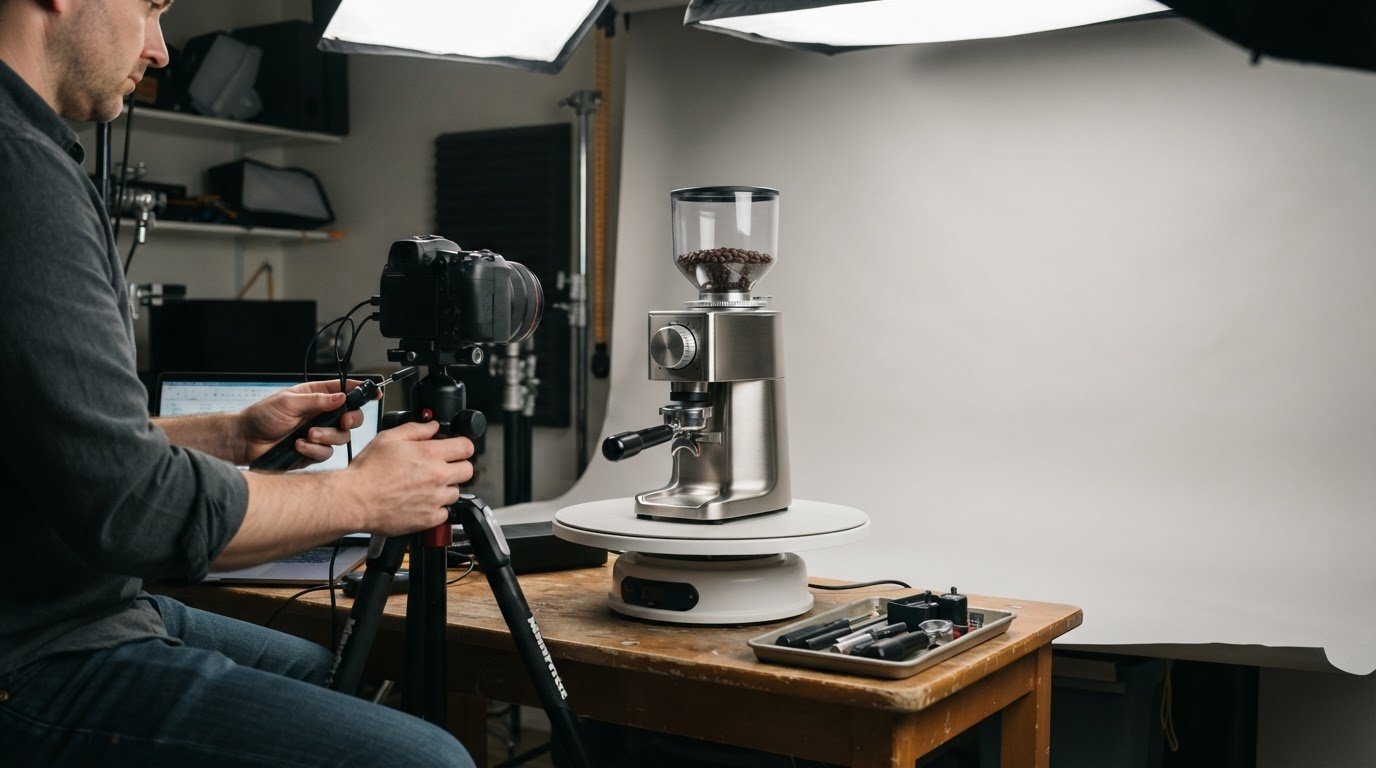
Yes, interactive 360° product views can work on mobile devices when they load quickly and rotate smoothly with touch controls. That makes the benefits of a 360 product view for sales relevant beyond desktop: shoppers can inspect an item from different angles as they browse on a phone or tablet. A more complete visual presentation can help set clearer expectations before purchase, though it can’t show every detail a customer may need.
It’s reasonable to want product images to do more than show a single polished angle. This article explains how interactive views can support purchase decisions, help customers understand what they’re buying and reduce the risk of mismatched expectations. It also covers how 360° imagery can be adapted for ecommerce and marketing channels, and why image quality and mobile performance matter. The aim is a practical view of where this format helps, and what it can and can’t do for a product presentation.
Key Takeaways
- Interactive views let shoppers examine products from different angles, helping them make more informed purchase decisions.
- Clearer visual details can set more accurate expectations and may help reduce return risks.
- Mobile performance and smooth touch controls matter when presenting 360° imagery across ecommerce and marketing channels.
- Learn how professional 360 photography can create product imagery suited to your sales and marketing needs.
How Do 360-Degree Views Increase Sales and Conversions?
A rotating product view gives shoppers more visual information than a single still image. Someone considering a handbag, for example, can inspect its sides, back, and construction before deciding whether to buy.
Products with details that change by angle often benefit most, including furniture, footwear, bags, jewelry, and electronics. A 360-degree view lets customers examine shape, finish, and visible features that a front-facing image may hide.
Conversion Rate Effects
A conversion rate measures the share of visitors who complete a desired action, such as purchasing a product. An interactive view can help customers assess an item without relying on a limited set of photos. That added visual context may support purchase decisions, especially when shoppers compare similar products. The benefits of 360 product view for sales depend on whether rotation reveals useful details, rather than simply adding movement.
Evidence of Sales Impact
Reported results give businesses a way to assess whether interactive imagery affects conversion. Estimates suggest 360-degree product views can increase purchase likelihood by up to 30%; The Drum reports conversion-rate increases of up to 47% for ecommerce implementations. These figures describe potential effects, not a result every store will achieve. A business can compare conversion before and after adding views, while keeping product, traffic, and promotion changes in mind.
A 2% visitor conversion rate rising to 2.6% illustrates how a small percentage-point change can alter completed purchases. The practical value depends on the product page and how visitors use its imagery. Social media can introduce a product, while an ecommerce page gives customers room to rotate it and inspect details before checkout.
There are limits: a rotating view cannot communicate every material quality, fit, function, or product variation. Slow loading or difficult controls can also interrupt browsing, especially on mobile. Use rotation when different angles answer real buying questions, and pair it with clear descriptions and supporting images. A chair’s rotation may show its profile and back, for example, but written specifications are still needed for dimensions.
Product returns and accurate expectations
A product view can reveal details that a single image leaves out, helping shoppers form clearer expectations before checkout. A rotating view of a table, for example, can show its profile, legs, and finish from several angles.
Cart Abandonment and Returns
Cart abandonment happens when shoppers add products to a cart but leave before purchasing; returns occur after an order arrives. Both can follow uncertainty, such as a customer discovering that an item’s appearance differs from expectations. A 360-degree view gives shoppers another way to inspect visible details before buying. It can support better decisions, but it can’t replace written specifications or explain every product feature.
Reducing Product Returns
A 360-degree view presents product details from multiple angles, which may help reduce returns caused by visual misunderstandings. Adding these views is estimated to decrease product returns by 4.7%. The figure is an estimate, not a guaranteed outcome for every store. A useful format lets customers inspect the actual item clearly, rather than relying on a rotation that hides important details.
A shopper considering a lamp may want to see its base, shade, and proportions from the side. Rotation can clarify its visible shape and finish, while the product description provides measurements and materials. Together, these details give customers more information to make a purchase decision.
Cart and return analytics can help businesses identify where product information may be falling short. If shoppers leave after viewing an item or return it because its appearance differed from their expectations, the product page may need clearer visuals or descriptions. Compare patterns across products and use customer feedback to determine which details need attention.
Clear imagery also creates opportunities to set accurate expectations before checkout. For businesses refining product presentation, commercial product imagery can help show an item with care and consistency.
Customer experience was expected to overtake price and product as the key brand differentiator by 2020, making clear product presentation relevant to the broader shopping experience.

How interactive 360° product views work
A 360° product view combines photographs taken around an item into an interactive sequence. Customers drag or tap to rotate the product and inspect different angles. Unlike standard photos, which show selected fixed views, this format lets shoppers control their view. A 3D configurator goes further by letting consumers change product options, rather than simply rotate a photographed item.
For a clear rotation, a sequence should ideally include at least 36 photographs taken from different angles. More than 60 photographs may be needed for the best possible image quality. Each frame contributes another view of the same product, so consistent positioning and lighting help keep the rotation visually steady.
Photographing one product for a 360° view typically takes 30 minutes to an hour, including setup and post-processing. The process involves capturing the item from multiple angles, preparing the images as a sequence, then presenting them through an interactive viewer. Product size, reflective surfaces, and small details affect the photography and processing decisions.
Businesses can implement a 360° view by adding the prepared sequence and its interactive viewer to an ecommerce product page. The viewer should load quickly and support smooth touchscreen rotation, so mobile shoppers can interact without struggling with controls. For example, a customer viewing a shoe on a phone can turn it to inspect the heel, sides, and toe.
After launch, businesses can review visitor behavior, including product-page engagement and completed purchases, to assess performance. More interactions alone do not establish increased sales, so compare activity with purchase outcomes. A practical approach is to begin with best-selling products, then use page analytics to decide whether to extend the format to more items.
A gradual rollout keeps the initial offering centered on best-selling products, with businesses able to extend 360° views to more products over time. This lets the range of products with interactive views grow in stages, rather than requiring every product to be included at the outset.
Product views across ecommerce and marketing channels
A 360° product view can support several stages of a customer’s journey, from discovery to product-page evaluation. On an ecommerce page, it gives shoppers a way to examine an item directly. In a marketing email or social media post, a still frame can introduce the product and direct attention to its interactive page. Each channel serves a different purpose, so the presentation should fit the action customers can take there.
Place the view on product pages where shoppers can find it alongside standard images, descriptions, and specifications. Someone comparing two backpacks, for example, can use rotation to inspect each silhouette, then read about capacity. Combining formats supports informed decisions without asking a visual alone to explain every feature.
Marketing teams can use selected frames from a product sequence in campaign materials and connect those visuals to the full interactive view. This links a brief introduction with a more detailed product experience. A social media post can encourage discovery, while the product page lets shoppers inspect the item and take the next step. Consistent images also help customers recognize the same product across channels.
Channel performance also depends on practical delivery. A 360° viewer should load quickly and allow smooth touchscreen rotation on mobile devices. If the interactive format is unsuitable for a placement, a clear still image can lead to the product page instead. This keeps the experience usable across different screens and marketing placements.
Review channel analytics to see where customers engage, visit product pages, or complete purchases. For example, compare campaign traffic with product-page interactions, then refine image placement or messaging based on observed actions. Treat engagement as one signal, not proof of customer satisfaction or sales impact. A consistent visual experience can help customers move from interest to closer evaluation.
Plan product imagery for your marketing channels with a clear view of where customers will encounter each image.
Image-Tec
Image-Tec helps businesses create product imagery for ecommerce pages and marketing materials through commercial photography and 360 photography. Turn to the studio when a product needs a consistent visual presentation that lets shoppers examine it from multiple angles.
Project needs guide the approach, from the product’s visible features to how the finished images will be used. For artwork or products intended for print, Image-Tec also offers BetterLight Scanning and Giclée canvas prints up to 60 inches wide, with custom framing.
Share the product and its intended use, such as an interactive product page or campaign imagery, to start a discussion about the right visual approach. Contact Image-Tec to discuss your product photography needs.
Make Your Next Product Presentation More Interactive
Choose a product whose details are difficult to communicate in a single image. Consider what shoppers need to understand before deciding, then make that visual question the focus of the presentation. This gives your team a clear starting point for deciding where interactive imagery fits alongside existing product content.
The benefits of a 360 product view for sales depend on how well the experience serves that customer need. Treat the imagery as part of a broader product story, not a replacement for useful descriptions or a well-designed page. Once it’s in place, observe how customers engage and use those insights to shape future product presentations.
Ready to plan imagery for your products? Contact Image-Tec to discuss your product views and take the next step toward a more considered visual experience.
Frequently Asked Questions
Can 360° Product Views be used on mobile devices?
Yes, shoppers can use 360° product views on mobile devices through touchscreen controls. For a useful phone experience, the viewer should respond to familiar gestures and fit the product page without obscuring key information. For example, keep the product name and purchase options accessible while customers rotate the view. Testing on different screen sizes can reveal cramped controls or loading issues before launch.
How does a 360-degree product view affect conversion rates and sales?
A 360-degree view can help shoppers assess a product before buying, supporting purchase decisions when its shape or finish is difficult to judge in still images. To understand its sales contribution, track completed purchases alongside viewer engagement, then compare results by product and traffic source. A high interaction rate alone doesn’t show whether the experience led to a sale, so connect viewing behavior with checkout outcomes.
How does a 360 product view affect product returns and buyer confidence?
A 360 product view can give buyers more confidence by letting them inspect visible features before ordering. It can also help prevent mismatched expectations, but confidence depends on a complete product listing. For example, a rotating view of a device should sit alongside compatibility details and the exact selected model. Clear variant labels help shoppers understand which version they’re purchasing and what the imagery represents.








Leave A Comment
You must be logged in to post a comment.